
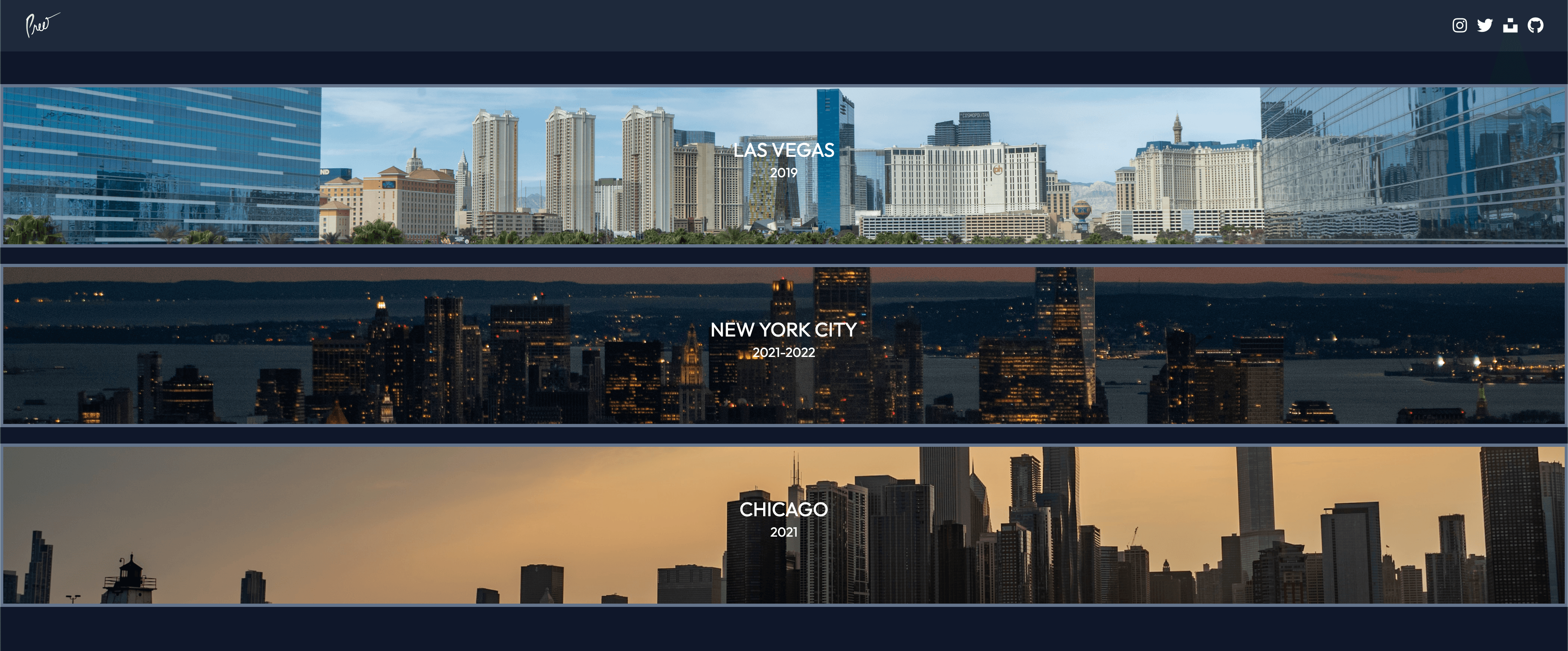
Project Overview
The Art Gallery was my first coding project, originally built using HTML and CSS. It's a responsive web page that displays my photography collection in an elegant and organized manner.
This project served as an excellent introduction to web development fundamentals, allowing me to learn HTML structure, CSS styling, and later, Tailwind CSS for more efficient styling. The gallery showcases not only my photography skills but also my ability to create visually appealing layouts.
Technologies
Project Showcase
Key Features
Responsive Design
Fully responsive layout that adapts to different screen sizes, ensuring an optimal viewing experience on both desktop and mobile devices.
Image Gallery
Organized display of photography with consistent spacing and sizing, creating a professional and visually appealing presentation.
Minimalist UI
Clean, minimalist user interface that puts the focus on the photography, with subtle design elements that enhance rather than distract.
Optimized Images
Properly sized and compressed images to ensure fast loading times without sacrificing visual quality.
Hover Effects
Subtle hover effects on images and navigation elements to improve user interaction and provide visual feedback.
Semantic HTML
Well-structured, semantic HTML that improves accessibility and search engine optimization.
Weather Information
Current weather conditions and temperature displayed based on the user's location, providing useful information at a glance.
Development Process
Planning & Design
I began by selecting the photographs I wanted to showcase and organizing them into categories. I then sketched layout ideas on paper before moving to Figma to create digital wireframes. The design process focused on creating a clean, minimalist interface that would complement the photographs without competing for attention.
I chose a neutral color palette with ample white space to create a gallery-like atmosphere that would allow the colors and compositions of the photographs to stand out.
Implementation
I built the initial version using vanilla HTML and CSS, focusing on creating a solid structure with semantic HTML elements. As I learned more about modern web development, I refactored the project to use Tailwind CSS, which allowed for more efficient styling and better responsiveness.
I added subtle JavaScript interactions to enhance the user experience, such as smooth scrolling and image loading animations. Throughout the development process, I continuously tested the site on different devices to ensure a consistent experience across all screen sizes.
Learning Outcomes
- →
HTML Fundamentals: Gained a solid understanding of HTML structure, semantic elements, and best practices for web accessibility.
- →
CSS Styling: Learned how to use CSS for layout, typography, color schemes, and responsive design.
- →
Tailwind CSS: Adopted a utility-first CSS framework to streamline the styling process and create consistent designs.
- →
Responsive Design: Developed skills in creating layouts that adapt to different screen sizes and devices.
- →
Image Optimization: Learned techniques for optimizing images for web use, balancing quality and file size.
See It In Action
Visit the Art Gallery website to explore my photography collection and see how I've applied web development fundamentals to create an engaging visual experience.