
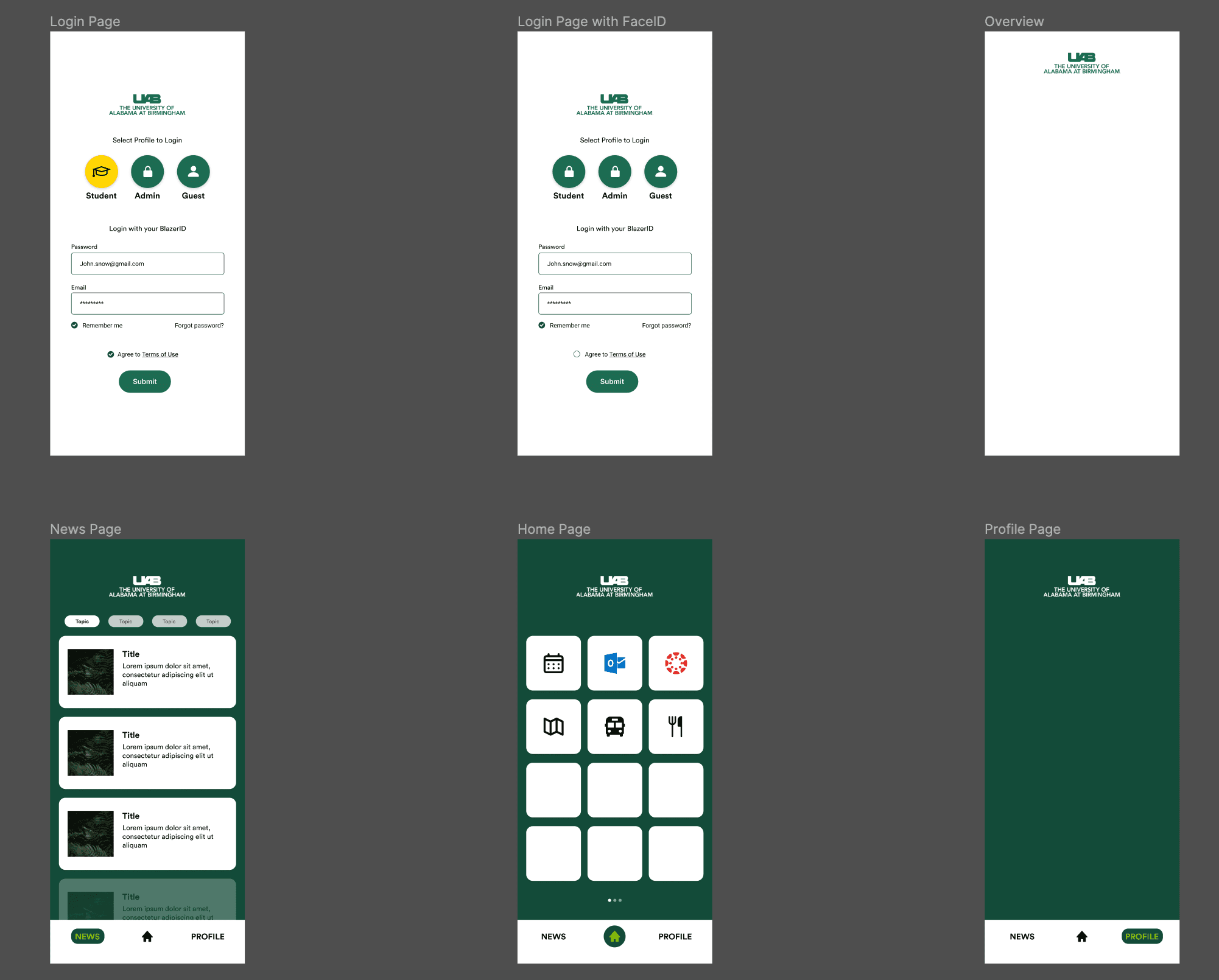
UAB Mobile App
A comprehensive UX case study to improve the university's mobile application experience for students and staff.
Project Overview
During the summer of 2022, I conducted a comprehensive UX case study on my university's campus mobile application. The goal was to learn the UX design process while addressing real usability issues that affected the student experience.
Through user research, competitive analysis, and iterative design, I identified key pain points and developed solutions to improve the application's usability, focusing on features that students need most frequently.
Tools Used
Problem Statement
Many students at my university rarely use the campus mobile app despite its potential utility. The application is cluttered with features that students rarely use, while essential information like dining balances and class schedules is difficult to access. Most widgets on the dashboard merely act as bookmarks to the university website rather than providing native functionality. Key features like the Canvas widget often fail to load after login, further frustrating users.
Research Findings
User Interviews
- →
85% of interviewed students had downloaded the app but only 20% used it regularly
- →
Most common complaint was difficulty finding essential information quickly
- →
Students primarily wanted access to: class schedules, dining balances, campus maps, and Canvas
- →
Many users reported abandoning the app after experiencing technical issues
Pain Points
- →
Information Overload: Too many rarely-used features cluttering the interface
- →
Poor Integration: Most features simply link to websites rather than providing native functionality
- →
Technical Issues: Canvas widget and other key features often fail to load properly
- →
Navigation Complexity: Essential information buried several layers deep in the app
Current App Issues
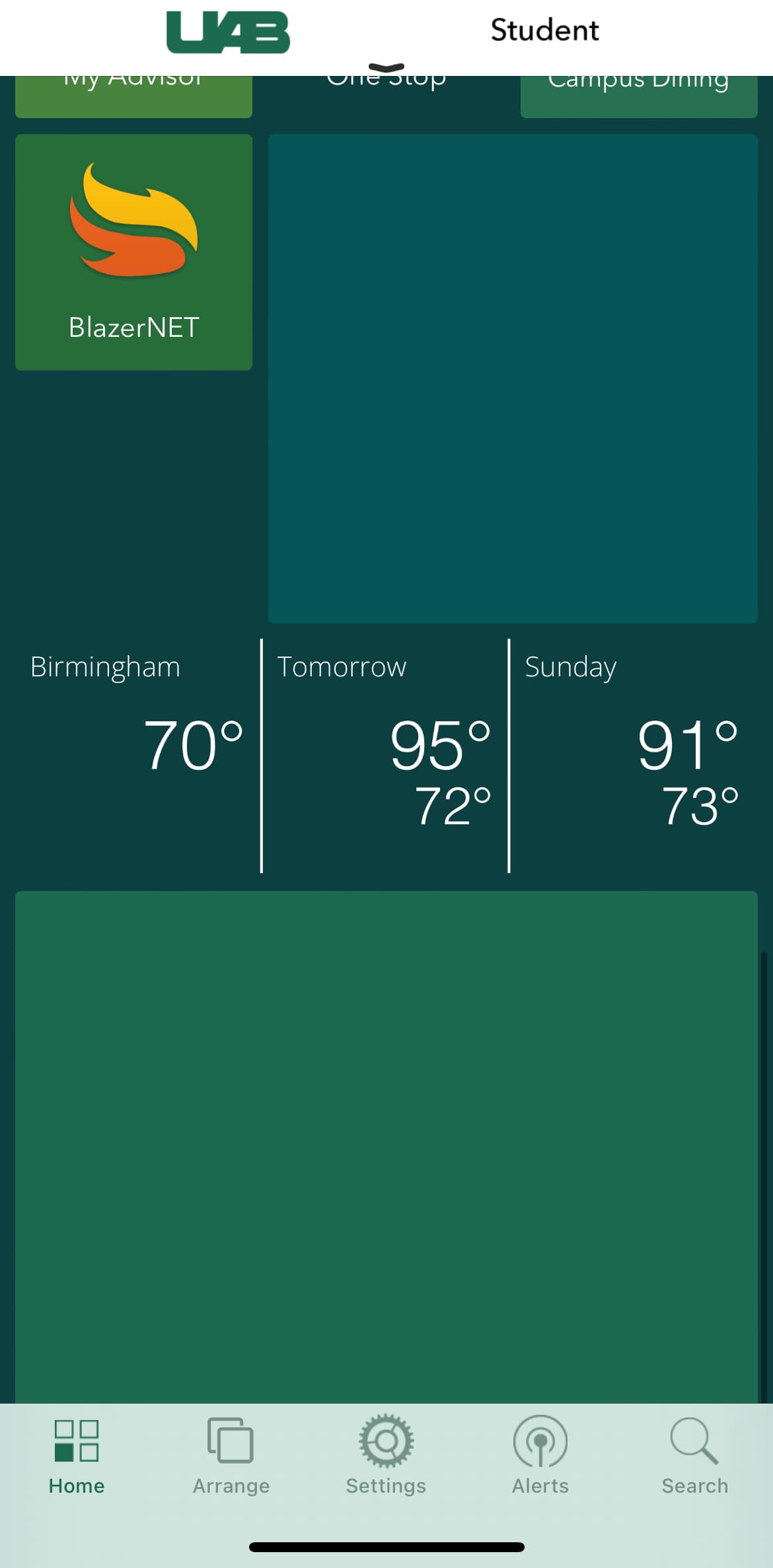
Canvas widget failing to load after login
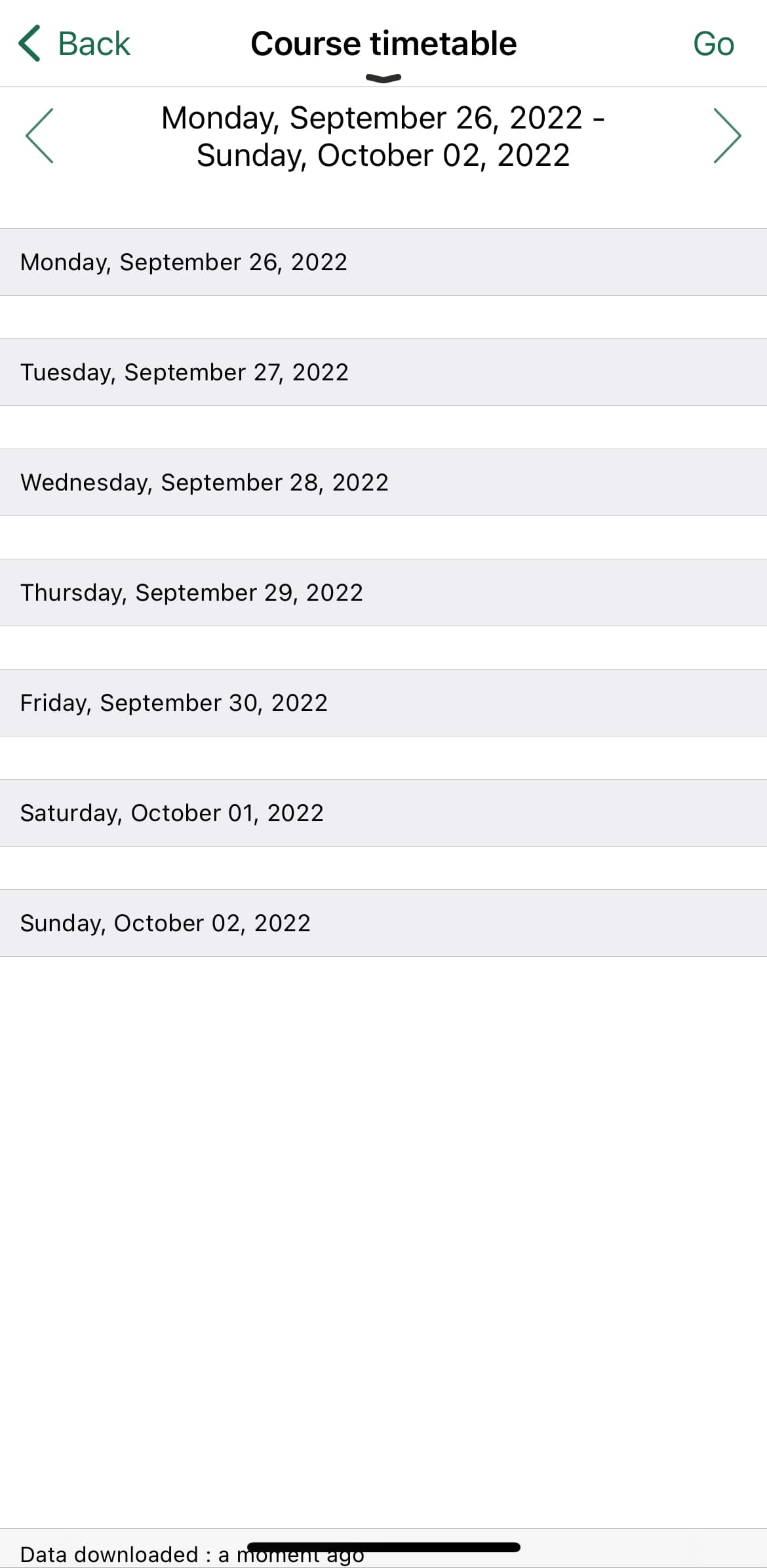
Complex schedule interface with poor readability
Design Process
User Research
Conducted interviews with 25 students across different majors and years to understand their needs, pain points, and usage patterns of the current app.
Competitive Analysis
Analyzed mobile apps from other universities to identify best practices and innovative features that could be incorporated into the redesign.
Information Architecture
Reorganized the app structure to prioritize frequently used features and create a more intuitive navigation flow.
Wireframing
Created low-fidelity wireframes to explore different layouts and navigation patterns, focusing on simplicity and ease of access.
Prototyping
Developed interactive prototypes in Figma to test user flows and gather feedback on the proposed solutions.
Usability Testing
Conducted testing sessions with students to validate design decisions and identify areas for further improvement.
Key Recommendations
Personalized Dashboard
Problem: One-size-fits-all dashboard with many irrelevant features for most users.
Solution: Implement a customizable dashboard where users can select and arrange the widgets most relevant to their needs. Include a guided setup process for first-time users to help them configure their dashboard.
Native Functionality
Problem: Most features simply link to the university website, creating a disjointed experience.
Solution: Develop native app functionality for the most frequently used features, particularly class schedules, dining balances, and Canvas integration. This would allow for offline access, push notifications, and a more consistent user experience.
Streamlined Navigation
Problem: Important information buried several layers deep in the navigation.
Solution: Implement a bottom navigation bar with direct access to the most frequently used sections: Home, Schedule, Canvas, Map, and Profile. Include a search function that allows users to quickly find specific information across the entire app.
Outcome & Learnings
This case study was a valuable learning experience in UX research and design. While the redesign has not been implemented by the university, the process provided me with practical experience in:
- →
User-Centered Design: Putting user needs at the center of the design process and making decisions based on research rather than assumptions.
- →
Research Methods: Conducting effective user interviews, analyzing feedback, and translating findings into actionable design decisions.
- →
Prototyping: Creating interactive prototypes to test concepts and gather feedback before implementation.
- →
Information Architecture: Organizing complex information in a way that is intuitive and accessible to users.
- →
Mobile Design Principles: Applying best practices for mobile interfaces, considering constraints like screen size and touch interactions.
Interested in UX Design?
This case study demonstrates my approach to user experience research and design. If you're interested in discussing UX projects or would like to see more details about this case study, I'd be happy to share additional insights.